> ## Documentation Index
> Fetch the complete documentation index at: https://docs.magicblock.gg/llms.txt
> Use this file to discover all available pages before exploring further.
# 快速开始
> 了解如何使用 MagicBlock VRF SDK 请求并消费 Solana VRF 链上随机数。
***
**正在使用 AI 编程助手开发?** 安装 MagicBlock Dev Skill,为你的助手提供 MagicBlock 专属开发模式——委托流程、Magic Actions、Crank、VRF 等。
Claude Code 快速安装:
```bash theme={null}
npx add-skill https://github.com/magicblock-labs/magicblock-dev-skill
```
使用 Cursor、Codex、Windsurf、Cline 或其他助手?请参阅 [AI Dev Skill](/cn/pages/overview/additional-information/ai-dev-skill) 页面了解所有安装方式。
### 快速访问
查看基础 VRF 示例:
掷骰子示例仓库
在链上掷骰子
在链上 100 毫秒内完成掷骰
***
需要先了解产品概览?请从 Solana VRF 页面开始,然后继续本快速开始。
***
想在本机端到端运行 VRF?请使用 Local Validator Setup 指南,了解完整本地栈、Surfpool 替代方案以及本地 vrf-oracle 流程。
***
## 分步指南
任何 Solana 程序都可以使用 MagicBlock VRF SDK 在数秒内请求并消费链上可验证随机数。完成本指南后,你将得到一个使用可验证随机数掷骰子的可运行示例。
编写你的程序}>
像平常一样编写你的 Solana 程序。
添加请求和消费随机数的指令。
}
>
添加 CPI 钩子,通过已验证预言机的回调来请求并消费随机数。
将程序部署到 Solana}>
使用 Anchor CLI 部署你的 Solana 程序。
执行链上随机数交易。}>
发送交易以在链上生成并消费随机数。
***
## 掷骰子示例
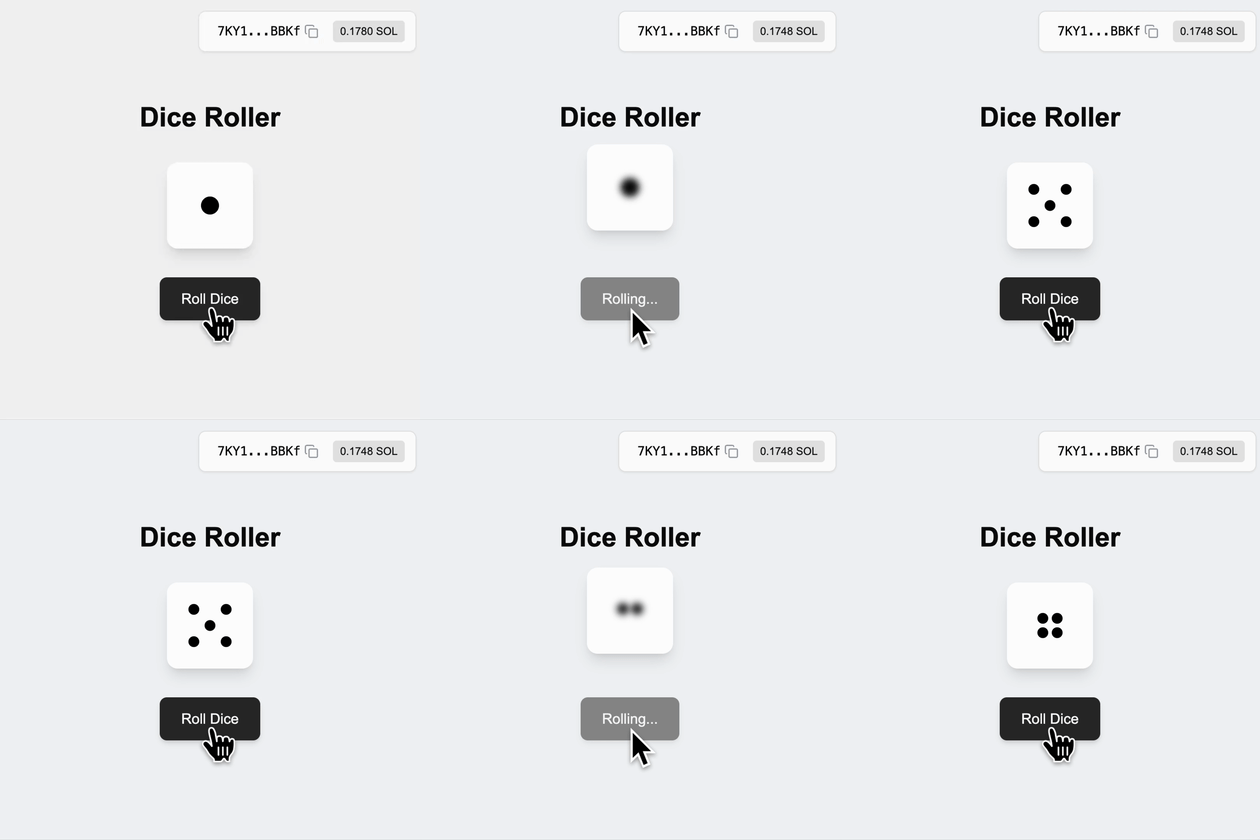 你可能需要以下软件包,其他版本也可能兼容:
| 软件 | 版本 | 安装指南 |
| ---------- | ------- | ---------------------------------------------------------- |
| **Solana** | 3.1.9 | [安装 Solana](https://docs.anza.xyz/cli/install) |
| **Rust** | 1.89.0 | [安装 Rust](https://www.rust-lang.org/tools/install) |
| **Anchor** | 1.0.2 | [安装 Anchor](https://www.anchor-lang.com/docs/installation) |
| **Node** | 24.10.0 | [安装 Node](https://nodejs.org/en/download/current) |
### 代码片段
一个简单的掷骰子程序,玩家初始化状态账户来存储、请求并消费随机数:
```rust theme={null}
pub const PLAYER: &[u8] = b"playerd";
#[program]
pub mod random_dice {
use super::*;
pub fn initialize(ctx: Context) -> Result<()> {
msg!(
"Initializing player account: {:?}",
ctx.accounts.player.key()
);
Ok(())
}
// ... Additional instructions will be added here
}
/// Context for initializing player
#[derive(Accounts)]
pub struct Initialize<'info> {
#[account(mut)]
pub payer: Signer<'info>,
#[account(init_if_needed, payer = payer, space = 8 + 1, seeds = [PLAYER, payer.key().to_bytes().as_slice()], bump)]
pub player: Account<'info, Player>,
pub system_program: Program<'info, System>,
}
/// Player struct
#[account]
pub struct Player {
pub last_result: u8,
}
```
[⬆️ 返回顶部](#code-snippets)
1. 将带有 Anchor 特性的 `ephemeral_vrf_sdk` 添加到你的程序中
```bash theme={null}
cargo add ephemeral_vrf_sdk --features anchor
```
导入 `vrf`、`create_request_randomness_ix`、`RequestRandomnessParams` 和 `SerializableAccountMeta`:
```rust theme={null}
use ephemeral_vrf_sdk::anchor::vrf;
use ephemeral_vrf_sdk::instructions::{create_request_randomness_ix, RequestRandomnessParams};
use ephemeral_vrf_sdk::types::SerializableAccountMeta;
```
2. 添加用于请求随机数的 `roll_dice` 指令,以及用于消费随机数的 `callback_roll_dice` 指令及其上下文:
```rust theme={null}
#[program]
pub mod random_dice {
use super::*;
// ... `initialize` instruction
// Request Randomness
pub fn roll_dice(ctx: Context, client_seed: u8) -> Result<()> {
msg!("Requesting randomness...");
let ix = create_request_randomness_ix(RequestRandomnessParams {
payer: ctx.accounts.payer.key(),
oracle_queue: ctx.accounts.oracle_queue.key(),
callback_program_id: ID,
callback_discriminator: instruction::CallbackRollDice::DISCRIMINATOR.to_vec(),
caller_seed: [client_seed; 32],
// Specify any account that is required by the callback
accounts_metas: Some(vec![SerializableAccountMeta {
pubkey: ctx.accounts.player.key(),
is_signer: false,
is_writable: true,
}]),
..Default::default()
});
ctx.accounts
.invoke_signed_vrf(&ctx.accounts.payer.to_account_info(), &ix)?;
Ok(())
}
// Consume Randomness
pub fn callback_roll_dice(
ctx: Context,
randomness: [u8; 32],
) -> Result<()> {
let rnd_u8 = ephemeral_vrf_sdk::rnd::random_u8_with_range(&randomness, 1, 6);
msg!("Consuming random number: {:?}", rnd_u8);
let player = &mut ctx.accounts.player;
player.last_result = rnd_u8; // Update the player's last result
Ok(())
}
}
#[vrf]
#[derive(Accounts)]
pub struct DoRollDiceCtx<'info> {
#[account(mut)]
pub payer: Signer<'info>,
#[account(seeds = [PLAYER, payer.key().to_bytes().as_slice()], bump)]
pub player: Account<'info, Player>,
/// CHECK: The oracle queue
#[account(mut, address = ephemeral_vrf_sdk::consts::DEFAULT_QUEUE)]
pub oracle_queue: AccountInfo<'info>,
}
#[derive(Accounts)]
pub struct CallbackRollDiceCtx<'info> {
/// This check ensure that the vrf_program_identity (which is a PDA) is a singer
/// enforcing the callback is executed by the VRF program trough CPI
#[account(address = ephemeral_vrf_sdk::consts::VRF_PROGRAM_IDENTITY)]
pub vrf_program_identity: Signer<'info>,
#[account(mut)]
pub player: Account<'info, Player>,
}
// ... Other context and account struct.
```
**VRF SDK 常量**(`ephemeral_vrf_sdk::consts`)——请引用这些常量而不要硬编码地址,在程序和客户端/测试代码中均适用:
| 常量 | 用途 | 地址 |
| ------------------------------ | --------------------- | ---------------------------------------------- |
| `VRF_PROGRAM_ID` | VRF 程序 | `Vrf1RNUjXmQGjmQrQLvJHs9SNkvDJEsRVFPkfSQUwGz` |
| `VRF_PROGRAM_IDENTITY` | 回调 signer PDA | `9irBy75QS2BN81FUgXuHcjqceJJRuc9oDkAe8TKVvvAw` |
| `DEFAULT_QUEUE` | 基础层队列(Mainnet/Devnet) | `Cuj97ggrhhidhbu39TijNVqE74xvKJ69gDervRUXAxGh` |
| `DEFAULT_EPHEMERAL_QUEUE` | ER 队列(Mainnet/Devnet) | `5hBR571xnXppuCPveTrctfTU7tJLSN94nq7kv7FRK5Tc` |
| `DEFAULT_TEST_QUEUE` | 基础层队列(Localnet) | `GKE6d7iv8kCBrsxr78W3xVdjGLLLJnxsGiuzrsZCGEvb` |
| `DEFAULT_EPHEMERAL_TEST_QUEUE` | ER 队列(Localnet) | `Sc9MJUngNbQXSXGP3F67KvKwVnhaYn6kcioxXNVowYT` |
将与交易运行位置相匹配的队列作为 `oracle_queue` 传入。Mainnet 和 Devnet 使用相同的队列地址;Localnet 使用测试队列。
> `Request Randomness` 是生成一个随机 `hashId` 并附带相关回调指令的过程,用于触发已验证预言机。
> `Consume Randomness` 是你的程序使用可验证随机数的过程,该随机数由已验证预言机提供并触发。
[⬆️ 返回顶部](#code-snippets)
现在你的程序已经升级完成并准备就绪!将其构建并部署到目标集群:
```bash theme={null}
anchor build && anchor deploy
```
[⬆️ 返回顶部](#code-snippets)
准备好执行链上随机数交易吧!
```bash theme={null}
anchor test --skip-build --skip-deploy --skip-local-validator
```
**VRF SDK 常量**(`ephemeral_vrf_sdk::consts`)——请引用这些常量而不要硬编码地址,在程序和客户端/测试代码中均适用:
| 常量 | 用途 | 地址 |
| ------------------------------ | --------------------- | ---------------------------------------------- |
| `VRF_PROGRAM_ID` | VRF 程序 | `Vrf1RNUjXmQGjmQrQLvJHs9SNkvDJEsRVFPkfSQUwGz` |
| `VRF_PROGRAM_IDENTITY` | 回调 signer PDA | `9irBy75QS2BN81FUgXuHcjqceJJRuc9oDkAe8TKVvvAw` |
| `DEFAULT_QUEUE` | 基础层队列(Mainnet/Devnet) | `Cuj97ggrhhidhbu39TijNVqE74xvKJ69gDervRUXAxGh` |
| `DEFAULT_EPHEMERAL_QUEUE` | ER 队列(Mainnet/Devnet) | `5hBR571xnXppuCPveTrctfTU7tJLSN94nq7kv7FRK5Tc` |
| `DEFAULT_TEST_QUEUE` | 基础层队列(Localnet) | `GKE6d7iv8kCBrsxr78W3xVdjGLLLJnxsGiuzrsZCGEvb` |
| `DEFAULT_EPHEMERAL_TEST_QUEUE` | ER 队列(Localnet) | `Sc9MJUngNbQXSXGP3F67KvKwVnhaYn6kcioxXNVowYT` |
将与交易运行位置相匹配的队列作为 `oracle_queue` 传入。Mainnet 和 Devnet 使用相同的队列地址;Localnet 使用测试队列。
运行以下测试:
```typescript theme={null}
import * as anchor from "@coral-xyz/anchor";
import { Program, web3 } from "@coral-xyz/anchor";
import { RandomDice } from "../target/types/random_dice";
describe("roll-dice", () => {
// Configure the client to use the local cluster.
anchor.setProvider(anchor.AnchorProvider.env());
const program = anchor.workspace.RandomDice as Program;
it("Initialized player!", async () => {
const tx = await program.methods.initialize().rpc();
console.log("Your transaction signature", tx);
});
it("Do Roll Dice!", async () => {
const tx = await program.methods.rollDice(0).rpc();
console.log("Your transaction signature", tx);
const playerPk = web3.PublicKey.findProgramAddressSync(
[Buffer.from("playerd"), anchor.getProvider().publicKey.toBytes()],
program.programId
)[0];
let player = await program.account.player.fetch(playerPk, "processed");
await new Promise((resolve) => setTimeout(resolve, 3000));
console.log("Player PDA: ", playerPk.toBase58());
console.log("player: ", player);
});
});
```
[⬆️ 返回顶部](#code-snippets)
***
## Solana 浏览器
查看你在 Solana 上的交易和账户信息:
官方 Solana 浏览器
浏览 Solana 区块链
## Solana RPC 提供商
通过现有 RPC 提供商发送交易和请求:
Free Public Nodes
Free Shared Nodes
Dedicated High-Performance Nodes
## Solana 验证器仪表板
查看 Solana 验证器基础设施的实时更新:
Get Validator Insights
Discover Validator Metrics
## 服务器状态订阅
订阅 Solana 和 MagicBlock 的服务器状态:
Subscribe to Solana Server Updates
Subscribe to MagicBlock Server Status
***
## MagicBlock 产品
在 Solana 上安全执行实时、零手续费交易。
在合规的前提下保护敏感数据——基于 Ephemeral Rollups 构建。
几秒钟为你的应用集成链上私密转账——默认合规。
为游戏、抽奖和实时应用添加可证明公平的链上随机数。
获取适用于交易和 DeFi 的低延迟链上价格数据。
***
你可能需要以下软件包,其他版本也可能兼容:
| 软件 | 版本 | 安装指南 |
| ---------- | ------- | ---------------------------------------------------------- |
| **Solana** | 3.1.9 | [安装 Solana](https://docs.anza.xyz/cli/install) |
| **Rust** | 1.89.0 | [安装 Rust](https://www.rust-lang.org/tools/install) |
| **Anchor** | 1.0.2 | [安装 Anchor](https://www.anchor-lang.com/docs/installation) |
| **Node** | 24.10.0 | [安装 Node](https://nodejs.org/en/download/current) |
### 代码片段
一个简单的掷骰子程序,玩家初始化状态账户来存储、请求并消费随机数:
```rust theme={null}
pub const PLAYER: &[u8] = b"playerd";
#[program]
pub mod random_dice {
use super::*;
pub fn initialize(ctx: Context) -> Result<()> {
msg!(
"Initializing player account: {:?}",
ctx.accounts.player.key()
);
Ok(())
}
// ... Additional instructions will be added here
}
/// Context for initializing player
#[derive(Accounts)]
pub struct Initialize<'info> {
#[account(mut)]
pub payer: Signer<'info>,
#[account(init_if_needed, payer = payer, space = 8 + 1, seeds = [PLAYER, payer.key().to_bytes().as_slice()], bump)]
pub player: Account<'info, Player>,
pub system_program: Program<'info, System>,
}
/// Player struct
#[account]
pub struct Player {
pub last_result: u8,
}
```
[⬆️ 返回顶部](#code-snippets)
1. 将带有 Anchor 特性的 `ephemeral_vrf_sdk` 添加到你的程序中
```bash theme={null}
cargo add ephemeral_vrf_sdk --features anchor
```
导入 `vrf`、`create_request_randomness_ix`、`RequestRandomnessParams` 和 `SerializableAccountMeta`:
```rust theme={null}
use ephemeral_vrf_sdk::anchor::vrf;
use ephemeral_vrf_sdk::instructions::{create_request_randomness_ix, RequestRandomnessParams};
use ephemeral_vrf_sdk::types::SerializableAccountMeta;
```
2. 添加用于请求随机数的 `roll_dice` 指令,以及用于消费随机数的 `callback_roll_dice` 指令及其上下文:
```rust theme={null}
#[program]
pub mod random_dice {
use super::*;
// ... `initialize` instruction
// Request Randomness
pub fn roll_dice(ctx: Context, client_seed: u8) -> Result<()> {
msg!("Requesting randomness...");
let ix = create_request_randomness_ix(RequestRandomnessParams {
payer: ctx.accounts.payer.key(),
oracle_queue: ctx.accounts.oracle_queue.key(),
callback_program_id: ID,
callback_discriminator: instruction::CallbackRollDice::DISCRIMINATOR.to_vec(),
caller_seed: [client_seed; 32],
// Specify any account that is required by the callback
accounts_metas: Some(vec![SerializableAccountMeta {
pubkey: ctx.accounts.player.key(),
is_signer: false,
is_writable: true,
}]),
..Default::default()
});
ctx.accounts
.invoke_signed_vrf(&ctx.accounts.payer.to_account_info(), &ix)?;
Ok(())
}
// Consume Randomness
pub fn callback_roll_dice(
ctx: Context,
randomness: [u8; 32],
) -> Result<()> {
let rnd_u8 = ephemeral_vrf_sdk::rnd::random_u8_with_range(&randomness, 1, 6);
msg!("Consuming random number: {:?}", rnd_u8);
let player = &mut ctx.accounts.player;
player.last_result = rnd_u8; // Update the player's last result
Ok(())
}
}
#[vrf]
#[derive(Accounts)]
pub struct DoRollDiceCtx<'info> {
#[account(mut)]
pub payer: Signer<'info>,
#[account(seeds = [PLAYER, payer.key().to_bytes().as_slice()], bump)]
pub player: Account<'info, Player>,
/// CHECK: The oracle queue
#[account(mut, address = ephemeral_vrf_sdk::consts::DEFAULT_QUEUE)]
pub oracle_queue: AccountInfo<'info>,
}
#[derive(Accounts)]
pub struct CallbackRollDiceCtx<'info> {
/// This check ensure that the vrf_program_identity (which is a PDA) is a singer
/// enforcing the callback is executed by the VRF program trough CPI
#[account(address = ephemeral_vrf_sdk::consts::VRF_PROGRAM_IDENTITY)]
pub vrf_program_identity: Signer<'info>,
#[account(mut)]
pub player: Account<'info, Player>,
}
// ... Other context and account struct.
```
**VRF SDK 常量**(`ephemeral_vrf_sdk::consts`)——请引用这些常量而不要硬编码地址,在程序和客户端/测试代码中均适用:
| 常量 | 用途 | 地址 |
| ------------------------------ | --------------------- | ---------------------------------------------- |
| `VRF_PROGRAM_ID` | VRF 程序 | `Vrf1RNUjXmQGjmQrQLvJHs9SNkvDJEsRVFPkfSQUwGz` |
| `VRF_PROGRAM_IDENTITY` | 回调 signer PDA | `9irBy75QS2BN81FUgXuHcjqceJJRuc9oDkAe8TKVvvAw` |
| `DEFAULT_QUEUE` | 基础层队列(Mainnet/Devnet) | `Cuj97ggrhhidhbu39TijNVqE74xvKJ69gDervRUXAxGh` |
| `DEFAULT_EPHEMERAL_QUEUE` | ER 队列(Mainnet/Devnet) | `5hBR571xnXppuCPveTrctfTU7tJLSN94nq7kv7FRK5Tc` |
| `DEFAULT_TEST_QUEUE` | 基础层队列(Localnet) | `GKE6d7iv8kCBrsxr78W3xVdjGLLLJnxsGiuzrsZCGEvb` |
| `DEFAULT_EPHEMERAL_TEST_QUEUE` | ER 队列(Localnet) | `Sc9MJUngNbQXSXGP3F67KvKwVnhaYn6kcioxXNVowYT` |
将与交易运行位置相匹配的队列作为 `oracle_queue` 传入。Mainnet 和 Devnet 使用相同的队列地址;Localnet 使用测试队列。
> `Request Randomness` 是生成一个随机 `hashId` 并附带相关回调指令的过程,用于触发已验证预言机。
> `Consume Randomness` 是你的程序使用可验证随机数的过程,该随机数由已验证预言机提供并触发。
[⬆️ 返回顶部](#code-snippets)
现在你的程序已经升级完成并准备就绪!将其构建并部署到目标集群:
```bash theme={null}
anchor build && anchor deploy
```
[⬆️ 返回顶部](#code-snippets)
准备好执行链上随机数交易吧!
```bash theme={null}
anchor test --skip-build --skip-deploy --skip-local-validator
```
**VRF SDK 常量**(`ephemeral_vrf_sdk::consts`)——请引用这些常量而不要硬编码地址,在程序和客户端/测试代码中均适用:
| 常量 | 用途 | 地址 |
| ------------------------------ | --------------------- | ---------------------------------------------- |
| `VRF_PROGRAM_ID` | VRF 程序 | `Vrf1RNUjXmQGjmQrQLvJHs9SNkvDJEsRVFPkfSQUwGz` |
| `VRF_PROGRAM_IDENTITY` | 回调 signer PDA | `9irBy75QS2BN81FUgXuHcjqceJJRuc9oDkAe8TKVvvAw` |
| `DEFAULT_QUEUE` | 基础层队列(Mainnet/Devnet) | `Cuj97ggrhhidhbu39TijNVqE74xvKJ69gDervRUXAxGh` |
| `DEFAULT_EPHEMERAL_QUEUE` | ER 队列(Mainnet/Devnet) | `5hBR571xnXppuCPveTrctfTU7tJLSN94nq7kv7FRK5Tc` |
| `DEFAULT_TEST_QUEUE` | 基础层队列(Localnet) | `GKE6d7iv8kCBrsxr78W3xVdjGLLLJnxsGiuzrsZCGEvb` |
| `DEFAULT_EPHEMERAL_TEST_QUEUE` | ER 队列(Localnet) | `Sc9MJUngNbQXSXGP3F67KvKwVnhaYn6kcioxXNVowYT` |
将与交易运行位置相匹配的队列作为 `oracle_queue` 传入。Mainnet 和 Devnet 使用相同的队列地址;Localnet 使用测试队列。
运行以下测试:
```typescript theme={null}
import * as anchor from "@coral-xyz/anchor";
import { Program, web3 } from "@coral-xyz/anchor";
import { RandomDice } from "../target/types/random_dice";
describe("roll-dice", () => {
// Configure the client to use the local cluster.
anchor.setProvider(anchor.AnchorProvider.env());
const program = anchor.workspace.RandomDice as Program;
it("Initialized player!", async () => {
const tx = await program.methods.initialize().rpc();
console.log("Your transaction signature", tx);
});
it("Do Roll Dice!", async () => {
const tx = await program.methods.rollDice(0).rpc();
console.log("Your transaction signature", tx);
const playerPk = web3.PublicKey.findProgramAddressSync(
[Buffer.from("playerd"), anchor.getProvider().publicKey.toBytes()],
program.programId
)[0];
let player = await program.account.player.fetch(playerPk, "processed");
await new Promise((resolve) => setTimeout(resolve, 3000));
console.log("Player PDA: ", playerPk.toBase58());
console.log("player: ", player);
});
});
```
[⬆️ 返回顶部](#code-snippets)
***
## Solana 浏览器
查看你在 Solana 上的交易和账户信息:
官方 Solana 浏览器
浏览 Solana 区块链
## Solana RPC 提供商
通过现有 RPC 提供商发送交易和请求:
Free Public Nodes
Free Shared Nodes
Dedicated High-Performance Nodes
## Solana 验证器仪表板
查看 Solana 验证器基础设施的实时更新:
Get Validator Insights
Discover Validator Metrics
## 服务器状态订阅
订阅 Solana 和 MagicBlock 的服务器状态:
Subscribe to Solana Server Updates
Subscribe to MagicBlock Server Status
***
## MagicBlock 产品
在 Solana 上安全执行实时、零手续费交易。
在合规的前提下保护敏感数据——基于 Ephemeral Rollups 构建。
几秒钟为你的应用集成链上私密转账——默认合规。
为游戏、抽奖和实时应用添加可证明公平的链上随机数。
获取适用于交易和 DeFi 的低延迟链上价格数据。
***