> ## Documentation Index
> Fetch the complete documentation index at: https://docs.magicblock.gg/llms.txt
> Use this file to discover all available pages before exploring further.
# クイックスタート
> MagicBlock VRF SDK を使って Solana VRF のオンチェーンランダムネスを要求し利用する方法を学びます。
***
**AI コーディングエージェントで開発していますか?** MagicBlock Dev Skill をインストールすると、デリゲーションフロー、Magic Actions、Crank、VRF など、MagicBlock 固有の開発パターンをエージェントに提供できます。
Claude Code でのクイックインストール:
```bash theme={null}
npx add-skill https://github.com/magicblock-labs/magicblock-dev-skill
```
Cursor、Codex、Windsurf、Cline などをお使いの場合は、[AI Dev Skill](/jp/pages/overview/additional-information/ai-dev-skill) ページですべてのインストール方法をご確認ください。
### クイックアクセス
基本的な VRF サンプルを見る:
サイコロサンプルのリポジトリ
オンチェーンでサイコロを振る
オンチェーンで 100 ミリ秒以内にサイコロを振る
***
先に製品概要を確認したい場合は、Solana VRF ページから始めてから、このクイックスタートに進んでください。
***
手元のマシンで VRF をエンドツーエンド実行したいですか?完全ローカルスタック、Surfpool の代替、ローカル vrf-oracle フローについては Local Validator Setup ガイドを使ってください。
***
## ステップごとのガイド
どの Solana プログラムでも、MagicBlock VRF SDK を使えば数秒以内にオンチェーンで検証可能なランダムネスを要求し利用できます。このガイドを終えるころには、検証可能なランダムネスでサイコロを振る動作するサンプルが完成します。
プログラムを書く}>
いつもどおりに Solana プログラムを書きます。
ランダムネス要求と消費の命令を追加する。
}
>
検証済みオラクルからの callback を通じてランダムネスを要求・利用する CPI フックを追加します。
Solana にプログラムをデプロイする}>
Anchor CLI を使って Solana プログラムをデプロイします。
オンチェーンランダムネス用のトランザクションを実行する。}>
オンチェーンでランダムネスを生成して利用するトランザクションを送ります。
***
## サイコロを振るサンプル
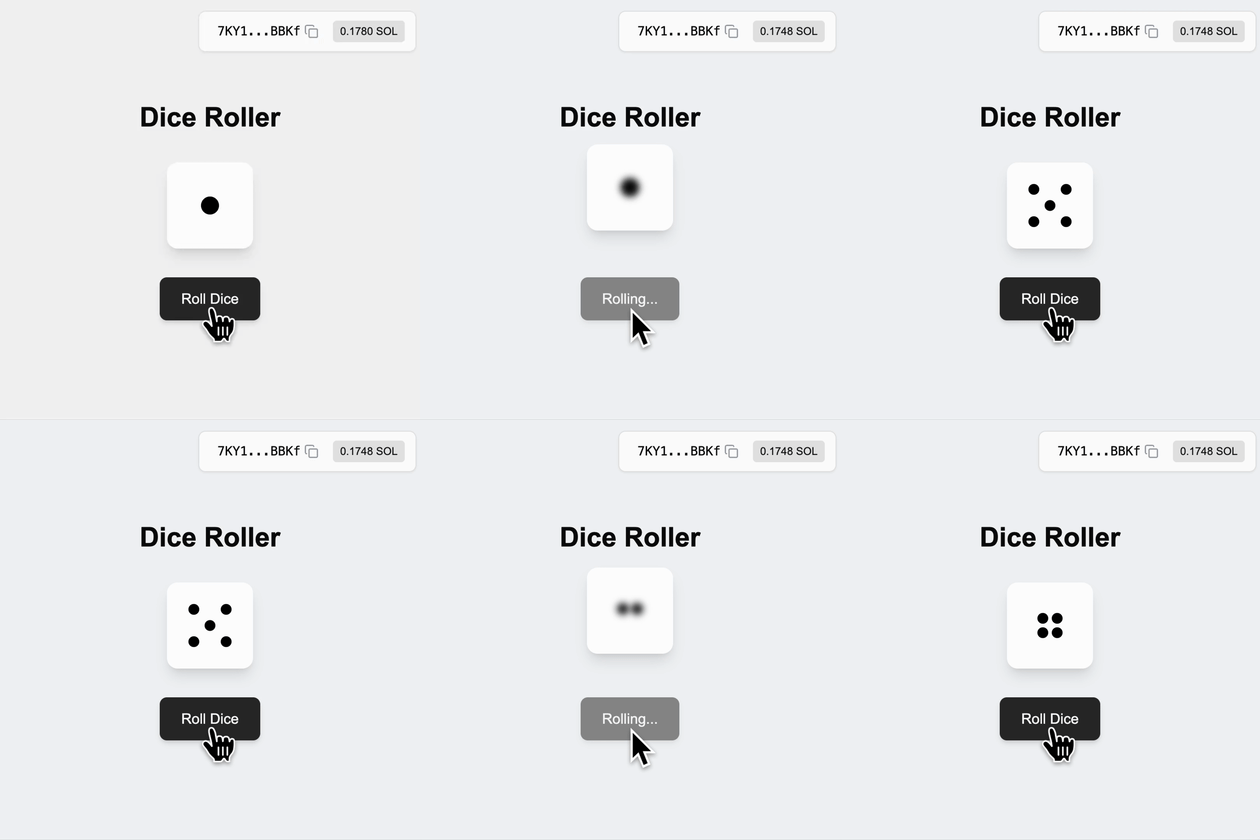 以下のソフトウェアパッケージが必要になる場合があります。ほかのバージョンでも互換性がある可能性があります。
| ソフトウェア | バージョン | インストールガイド |
| ---------- | ------- | --------------------------------------------------------------- |
| **Solana** | 3.1.9 | [Solana をインストール](https://docs.anza.xyz/cli/install) |
| **Rust** | 1.89.0 | [Rust をインストール](https://www.rust-lang.org/tools/install) |
| **Anchor** | 1.0.2 | [Anchor をインストール](https://www.anchor-lang.com/docs/installation) |
| **Node** | 24.10.0 | [Node をインストール](https://nodejs.org/en/download/current) |
### コードスニペット
A simple roll dice program where player initialize state account to store, request and consume randomness:
```rust theme={null}
pub const PLAYER: &[u8] = b"playerd";
#[program]
pub mod random_dice {
use super::*;
pub fn initialize(ctx: Context) -> Result<()> {
msg!(
"Initializing player account: {:?}",
ctx.accounts.player.key()
);
Ok(())
}
// ... Additional instructions will be added here
}
/// Context for initializing player
#[derive(Accounts)]
pub struct Initialize<'info> {
#[account(mut)]
pub payer: Signer<'info>,
#[account(init_if_needed, payer = payer, space = 8 + 1, seeds = [PLAYER, payer.key().to_bytes().as_slice()], bump)]
pub player: Account<'info, Player>,
pub system_program: Program<'info, System>,
}
/// Player struct
#[account]
pub struct Player {
pub last_result: u8,
}
```
[⬆️ Back to Top](#code-snippets)
1. Add `ephemeral_vrf_sdk` with Anchor features to your program
```bash theme={null}
cargo add ephemeral_vrf_sdk --features anchor
```
Import `vrf` , `create_request_randomness_ix`, `RequestRandomnessParams`, and `SerializableAccountMeta`:
```rust theme={null}
use ephemeral_vrf_sdk::anchor::vrf;
use ephemeral_vrf_sdk::instructions::{create_request_randomness_ix, RequestRandomnessParams};
use ephemeral_vrf_sdk::types::SerializableAccountMeta;
```
2. Add instructions `roll_dice` to request randomness and `callback_roll_dice` to consume randomness, along with its context:
```rust theme={null}
#[program]
pub mod random_dice {
use super::*;
// ... `initialize` instruction
// Request Randomness
pub fn roll_dice(ctx: Context, client_seed: u8) -> Result<()> {
msg!("Requesting randomness...");
let ix = create_request_randomness_ix(RequestRandomnessParams {
payer: ctx.accounts.payer.key(),
oracle_queue: ctx.accounts.oracle_queue.key(),
callback_program_id: ID,
callback_discriminator: instruction::CallbackRollDice::DISCRIMINATOR.to_vec(),
caller_seed: [client_seed; 32],
// Specify any account that is required by the callback
accounts_metas: Some(vec![SerializableAccountMeta {
pubkey: ctx.accounts.player.key(),
is_signer: false,
is_writable: true,
}]),
..Default::default()
});
ctx.accounts
.invoke_signed_vrf(&ctx.accounts.payer.to_account_info(), &ix)?;
Ok(())
}
// Consume Randomness
pub fn callback_roll_dice(
ctx: Context,
randomness: [u8; 32],
) -> Result<()> {
let rnd_u8 = ephemeral_vrf_sdk::rnd::random_u8_with_range(&randomness, 1, 6);
msg!("Consuming random number: {:?}", rnd_u8);
let player = &mut ctx.accounts.player;
player.last_result = rnd_u8; // Update the player's last result
Ok(())
}
}
#[vrf]
#[derive(Accounts)]
pub struct DoRollDiceCtx<'info> {
#[account(mut)]
pub payer: Signer<'info>,
#[account(seeds = [PLAYER, payer.key().to_bytes().as_slice()], bump)]
pub player: Account<'info, Player>,
/// CHECK: The oracle queue
#[account(mut, address = ephemeral_vrf_sdk::consts::DEFAULT_QUEUE)]
pub oracle_queue: AccountInfo<'info>,
}
#[derive(Accounts)]
pub struct CallbackRollDiceCtx<'info> {
/// This check ensure that the vrf_program_identity (which is a PDA) is a singer
/// enforcing the callback is executed by the VRF program trough CPI
#[account(address = ephemeral_vrf_sdk::consts::VRF_PROGRAM_IDENTITY)]
pub vrf_program_identity: Signer<'info>,
#[account(mut)]
pub player: Account<'info, Player>,
}
// ... Other context and account struct.
```
**VRF SDK 定数**(`ephemeral_vrf_sdk::consts`)——アドレスをハードコードせず、プログラムとクライアント/テストコードの両方でこれらの定数を参照してください:
| 定数 | 用途 | アドレス |
| ------------------------------ | -------------------------- | ---------------------------------------------- |
| `VRF_PROGRAM_ID` | VRF プログラム | `Vrf1RNUjXmQGjmQrQLvJHs9SNkvDJEsRVFPkfSQUwGz` |
| `VRF_PROGRAM_IDENTITY` | コールバック signer PDA | `9irBy75QS2BN81FUgXuHcjqceJJRuc9oDkAe8TKVvvAw` |
| `DEFAULT_QUEUE` | ベースレイヤーキュー(Mainnet/Devnet) | `Cuj97ggrhhidhbu39TijNVqE74xvKJ69gDervRUXAxGh` |
| `DEFAULT_EPHEMERAL_QUEUE` | ER キュー(Mainnet/Devnet) | `5hBR571xnXppuCPveTrctfTU7tJLSN94nq7kv7FRK5Tc` |
| `DEFAULT_TEST_QUEUE` | ベースレイヤーキュー(Localnet) | `GKE6d7iv8kCBrsxr78W3xVdjGLLLJnxsGiuzrsZCGEvb` |
| `DEFAULT_EPHEMERAL_TEST_QUEUE` | ER キュー(Localnet) | `Sc9MJUngNbQXSXGP3F67KvKwVnhaYn6kcioxXNVowYT` |
トランザクションが実行される場所に合ったキューを `oracle_queue` として渡してください。Mainnet と Devnet は同じキューアドレスを使用し、Localnet はテストキューを使用します。
> `Request Randomness` is the process of generating a random `hashId` with the relevant callback instruction for the verified oracles to be triggered.
> `Consume Randomness` is the process of using the verifiable randomness by your program which is provided and triggered through verified oracle.
[⬆️ Back to Top](#code-snippets)
Now you're program is upgraded and ready! Build and deploy to the desired
cluster:
```bash theme={null}
anchor build && anchor deploy
```
[⬆️ Back to Top](#code-snippets)
Ready to execute transactions for onchain randomness!
```bash theme={null}
anchor test --skip-build --skip-deploy --skip-local-validator
```
**VRF SDK 定数**(`ephemeral_vrf_sdk::consts`)——アドレスをハードコードせず、プログラムとクライアント/テストコードの両方でこれらの定数を参照してください:
| 定数 | 用途 | アドレス |
| ------------------------------ | -------------------------- | ---------------------------------------------- |
| `VRF_PROGRAM_ID` | VRF プログラム | `Vrf1RNUjXmQGjmQrQLvJHs9SNkvDJEsRVFPkfSQUwGz` |
| `VRF_PROGRAM_IDENTITY` | コールバック signer PDA | `9irBy75QS2BN81FUgXuHcjqceJJRuc9oDkAe8TKVvvAw` |
| `DEFAULT_QUEUE` | ベースレイヤーキュー(Mainnet/Devnet) | `Cuj97ggrhhidhbu39TijNVqE74xvKJ69gDervRUXAxGh` |
| `DEFAULT_EPHEMERAL_QUEUE` | ER キュー(Mainnet/Devnet) | `5hBR571xnXppuCPveTrctfTU7tJLSN94nq7kv7FRK5Tc` |
| `DEFAULT_TEST_QUEUE` | ベースレイヤーキュー(Localnet) | `GKE6d7iv8kCBrsxr78W3xVdjGLLLJnxsGiuzrsZCGEvb` |
| `DEFAULT_EPHEMERAL_TEST_QUEUE` | ER キュー(Localnet) | `Sc9MJUngNbQXSXGP3F67KvKwVnhaYn6kcioxXNVowYT` |
トランザクションが実行される場所に合ったキューを `oracle_queue` として渡してください。Mainnet と Devnet は同じキューアドレスを使用し、Localnet はテストキューを使用します。
Run the following test:
```typescript theme={null}
import * as anchor from "@coral-xyz/anchor";
import { Program, web3 } from "@coral-xyz/anchor";
import { RandomDice } from "../target/types/random_dice";
describe("roll-dice", () => {
// Configure the client to use the local cluster.
anchor.setProvider(anchor.AnchorProvider.env());
const program = anchor.workspace.RandomDice as Program;
it("Initialized player!", async () => {
const tx = await program.methods.initialize().rpc();
console.log("Your transaction signature", tx);
});
it("Do Roll Dice!", async () => {
const tx = await program.methods.rollDice(0).rpc();
console.log("Your transaction signature", tx);
const playerPk = web3.PublicKey.findProgramAddressSync(
[Buffer.from("playerd"), anchor.getProvider().publicKey.toBytes()],
program.programId
)[0];
let player = await program.account.player.fetch(playerPk, "processed");
await new Promise((resolve) => setTimeout(resolve, 3000));
console.log("Player PDA: ", playerPk.toBase58());
console.log("player: ", player);
});
});
```
[⬆️ Back to Top](#code-snippets)
***
## Solana Explorer
Get insights about your transactions and accounts on Solana:
公式 Solana エクスプローラー
Solana ブロックチェーンを探索する
## Solana RPC Providers
Send transactions and requests through existing RPC providers:
Free Public Nodes
Free Shared Nodes
Dedicated High-Performance Nodes
## Solana Validator Dashboard
Find real-time updates on Solana's validator infrastructure:
Get Validator Insights
Discover Validator Metrics
## Server Status Subscriptions
Subscribe to Solana's and MagicBlock's server status:
Subscribe to Solana Server Updates
Subscribe to MagicBlock Server Status
***
## MagicBlock Products
Solana 上でリアルタイムかつ手数料ゼロのトランザクションを安全に実行します。
コンプライアンスを保ちながら機密データを保護 — Ephemeral Rollups の上に構築されています。
あなたのアプリにオンチェーンのプライベート送金を数秒で統合 — コンプライアンスもデフォルトで備わっています。
ゲーム、抽選、リアルタイムアプリに証明可能に公平なオンチェーンランダムネスを追加します。
取引や DeFi 向けの低遅延オンチェーン価格フィードにアクセスできます。
***
以下のソフトウェアパッケージが必要になる場合があります。ほかのバージョンでも互換性がある可能性があります。
| ソフトウェア | バージョン | インストールガイド |
| ---------- | ------- | --------------------------------------------------------------- |
| **Solana** | 3.1.9 | [Solana をインストール](https://docs.anza.xyz/cli/install) |
| **Rust** | 1.89.0 | [Rust をインストール](https://www.rust-lang.org/tools/install) |
| **Anchor** | 1.0.2 | [Anchor をインストール](https://www.anchor-lang.com/docs/installation) |
| **Node** | 24.10.0 | [Node をインストール](https://nodejs.org/en/download/current) |
### コードスニペット
A simple roll dice program where player initialize state account to store, request and consume randomness:
```rust theme={null}
pub const PLAYER: &[u8] = b"playerd";
#[program]
pub mod random_dice {
use super::*;
pub fn initialize(ctx: Context) -> Result<()> {
msg!(
"Initializing player account: {:?}",
ctx.accounts.player.key()
);
Ok(())
}
// ... Additional instructions will be added here
}
/// Context for initializing player
#[derive(Accounts)]
pub struct Initialize<'info> {
#[account(mut)]
pub payer: Signer<'info>,
#[account(init_if_needed, payer = payer, space = 8 + 1, seeds = [PLAYER, payer.key().to_bytes().as_slice()], bump)]
pub player: Account<'info, Player>,
pub system_program: Program<'info, System>,
}
/// Player struct
#[account]
pub struct Player {
pub last_result: u8,
}
```
[⬆️ Back to Top](#code-snippets)
1. Add `ephemeral_vrf_sdk` with Anchor features to your program
```bash theme={null}
cargo add ephemeral_vrf_sdk --features anchor
```
Import `vrf` , `create_request_randomness_ix`, `RequestRandomnessParams`, and `SerializableAccountMeta`:
```rust theme={null}
use ephemeral_vrf_sdk::anchor::vrf;
use ephemeral_vrf_sdk::instructions::{create_request_randomness_ix, RequestRandomnessParams};
use ephemeral_vrf_sdk::types::SerializableAccountMeta;
```
2. Add instructions `roll_dice` to request randomness and `callback_roll_dice` to consume randomness, along with its context:
```rust theme={null}
#[program]
pub mod random_dice {
use super::*;
// ... `initialize` instruction
// Request Randomness
pub fn roll_dice(ctx: Context, client_seed: u8) -> Result<()> {
msg!("Requesting randomness...");
let ix = create_request_randomness_ix(RequestRandomnessParams {
payer: ctx.accounts.payer.key(),
oracle_queue: ctx.accounts.oracle_queue.key(),
callback_program_id: ID,
callback_discriminator: instruction::CallbackRollDice::DISCRIMINATOR.to_vec(),
caller_seed: [client_seed; 32],
// Specify any account that is required by the callback
accounts_metas: Some(vec![SerializableAccountMeta {
pubkey: ctx.accounts.player.key(),
is_signer: false,
is_writable: true,
}]),
..Default::default()
});
ctx.accounts
.invoke_signed_vrf(&ctx.accounts.payer.to_account_info(), &ix)?;
Ok(())
}
// Consume Randomness
pub fn callback_roll_dice(
ctx: Context,
randomness: [u8; 32],
) -> Result<()> {
let rnd_u8 = ephemeral_vrf_sdk::rnd::random_u8_with_range(&randomness, 1, 6);
msg!("Consuming random number: {:?}", rnd_u8);
let player = &mut ctx.accounts.player;
player.last_result = rnd_u8; // Update the player's last result
Ok(())
}
}
#[vrf]
#[derive(Accounts)]
pub struct DoRollDiceCtx<'info> {
#[account(mut)]
pub payer: Signer<'info>,
#[account(seeds = [PLAYER, payer.key().to_bytes().as_slice()], bump)]
pub player: Account<'info, Player>,
/// CHECK: The oracle queue
#[account(mut, address = ephemeral_vrf_sdk::consts::DEFAULT_QUEUE)]
pub oracle_queue: AccountInfo<'info>,
}
#[derive(Accounts)]
pub struct CallbackRollDiceCtx<'info> {
/// This check ensure that the vrf_program_identity (which is a PDA) is a singer
/// enforcing the callback is executed by the VRF program trough CPI
#[account(address = ephemeral_vrf_sdk::consts::VRF_PROGRAM_IDENTITY)]
pub vrf_program_identity: Signer<'info>,
#[account(mut)]
pub player: Account<'info, Player>,
}
// ... Other context and account struct.
```
**VRF SDK 定数**(`ephemeral_vrf_sdk::consts`)——アドレスをハードコードせず、プログラムとクライアント/テストコードの両方でこれらの定数を参照してください:
| 定数 | 用途 | アドレス |
| ------------------------------ | -------------------------- | ---------------------------------------------- |
| `VRF_PROGRAM_ID` | VRF プログラム | `Vrf1RNUjXmQGjmQrQLvJHs9SNkvDJEsRVFPkfSQUwGz` |
| `VRF_PROGRAM_IDENTITY` | コールバック signer PDA | `9irBy75QS2BN81FUgXuHcjqceJJRuc9oDkAe8TKVvvAw` |
| `DEFAULT_QUEUE` | ベースレイヤーキュー(Mainnet/Devnet) | `Cuj97ggrhhidhbu39TijNVqE74xvKJ69gDervRUXAxGh` |
| `DEFAULT_EPHEMERAL_QUEUE` | ER キュー(Mainnet/Devnet) | `5hBR571xnXppuCPveTrctfTU7tJLSN94nq7kv7FRK5Tc` |
| `DEFAULT_TEST_QUEUE` | ベースレイヤーキュー(Localnet) | `GKE6d7iv8kCBrsxr78W3xVdjGLLLJnxsGiuzrsZCGEvb` |
| `DEFAULT_EPHEMERAL_TEST_QUEUE` | ER キュー(Localnet) | `Sc9MJUngNbQXSXGP3F67KvKwVnhaYn6kcioxXNVowYT` |
トランザクションが実行される場所に合ったキューを `oracle_queue` として渡してください。Mainnet と Devnet は同じキューアドレスを使用し、Localnet はテストキューを使用します。
> `Request Randomness` is the process of generating a random `hashId` with the relevant callback instruction for the verified oracles to be triggered.
> `Consume Randomness` is the process of using the verifiable randomness by your program which is provided and triggered through verified oracle.
[⬆️ Back to Top](#code-snippets)
Now you're program is upgraded and ready! Build and deploy to the desired
cluster:
```bash theme={null}
anchor build && anchor deploy
```
[⬆️ Back to Top](#code-snippets)
Ready to execute transactions for onchain randomness!
```bash theme={null}
anchor test --skip-build --skip-deploy --skip-local-validator
```
**VRF SDK 定数**(`ephemeral_vrf_sdk::consts`)——アドレスをハードコードせず、プログラムとクライアント/テストコードの両方でこれらの定数を参照してください:
| 定数 | 用途 | アドレス |
| ------------------------------ | -------------------------- | ---------------------------------------------- |
| `VRF_PROGRAM_ID` | VRF プログラム | `Vrf1RNUjXmQGjmQrQLvJHs9SNkvDJEsRVFPkfSQUwGz` |
| `VRF_PROGRAM_IDENTITY` | コールバック signer PDA | `9irBy75QS2BN81FUgXuHcjqceJJRuc9oDkAe8TKVvvAw` |
| `DEFAULT_QUEUE` | ベースレイヤーキュー(Mainnet/Devnet) | `Cuj97ggrhhidhbu39TijNVqE74xvKJ69gDervRUXAxGh` |
| `DEFAULT_EPHEMERAL_QUEUE` | ER キュー(Mainnet/Devnet) | `5hBR571xnXppuCPveTrctfTU7tJLSN94nq7kv7FRK5Tc` |
| `DEFAULT_TEST_QUEUE` | ベースレイヤーキュー(Localnet) | `GKE6d7iv8kCBrsxr78W3xVdjGLLLJnxsGiuzrsZCGEvb` |
| `DEFAULT_EPHEMERAL_TEST_QUEUE` | ER キュー(Localnet) | `Sc9MJUngNbQXSXGP3F67KvKwVnhaYn6kcioxXNVowYT` |
トランザクションが実行される場所に合ったキューを `oracle_queue` として渡してください。Mainnet と Devnet は同じキューアドレスを使用し、Localnet はテストキューを使用します。
Run the following test:
```typescript theme={null}
import * as anchor from "@coral-xyz/anchor";
import { Program, web3 } from "@coral-xyz/anchor";
import { RandomDice } from "../target/types/random_dice";
describe("roll-dice", () => {
// Configure the client to use the local cluster.
anchor.setProvider(anchor.AnchorProvider.env());
const program = anchor.workspace.RandomDice as Program;
it("Initialized player!", async () => {
const tx = await program.methods.initialize().rpc();
console.log("Your transaction signature", tx);
});
it("Do Roll Dice!", async () => {
const tx = await program.methods.rollDice(0).rpc();
console.log("Your transaction signature", tx);
const playerPk = web3.PublicKey.findProgramAddressSync(
[Buffer.from("playerd"), anchor.getProvider().publicKey.toBytes()],
program.programId
)[0];
let player = await program.account.player.fetch(playerPk, "processed");
await new Promise((resolve) => setTimeout(resolve, 3000));
console.log("Player PDA: ", playerPk.toBase58());
console.log("player: ", player);
});
});
```
[⬆️ Back to Top](#code-snippets)
***
## Solana Explorer
Get insights about your transactions and accounts on Solana:
公式 Solana エクスプローラー
Solana ブロックチェーンを探索する
## Solana RPC Providers
Send transactions and requests through existing RPC providers:
Free Public Nodes
Free Shared Nodes
Dedicated High-Performance Nodes
## Solana Validator Dashboard
Find real-time updates on Solana's validator infrastructure:
Get Validator Insights
Discover Validator Metrics
## Server Status Subscriptions
Subscribe to Solana's and MagicBlock's server status:
Subscribe to Solana Server Updates
Subscribe to MagicBlock Server Status
***
## MagicBlock Products
Solana 上でリアルタイムかつ手数料ゼロのトランザクションを安全に実行します。
コンプライアンスを保ちながら機密データを保護 — Ephemeral Rollups の上に構築されています。
あなたのアプリにオンチェーンのプライベート送金を数秒で統合 — コンプライアンスもデフォルトで備わっています。
ゲーム、抽選、リアルタイムアプリに証明可能に公平なオンチェーンランダムネスを追加します。
取引や DeFi 向けの低遅延オンチェーン価格フィードにアクセスできます。
***