> ## Documentation Index
> Fetch the complete documentation index at: https://docs.magicblock.gg/llms.txt
> Use this file to discover all available pages before exploring further.
# 빠른 시작
> MagicBlock VRF SDK로 Solana VRF 온체인 랜덤니스를 요청하고 소비하는 방법을 알아봅니다.
***
**AI 코딩 에이전트로 개발하고 계신가요?** MagicBlock Dev Skill을 설치하면 위임 플로우, Magic Actions, Crank, VRF 등 MagicBlock 전용 개발 패턴을 에이전트에 제공할 수 있습니다.
Claude Code 빠른 설치:
```bash theme={null}
npx add-skill https://github.com/magicblock-labs/magicblock-dev-skill
```
Cursor, Codex, Windsurf, Cline 등 다른 에이전트를 사용하시나요? 모든 설치 방법은 [AI Dev Skill](/ko/pages/overview/additional-information/ai-dev-skill) 페이지를 참고하세요.
### 빠른 접근
기본 VRF 예시 보기:
주사위 예제 저장소
온체인에서 주사위 굴리기
온체인에서 100ms 이내로 주사위 굴리기
***
제품 개요가 먼저 필요하다면 Solana VRF 페이지에서 시작한 뒤 이 빠른 시작을 진행하세요.
***
로컬 머신에서 VRF를 엔드투엔드로 실행하고 싶나요? 전체 로컬 스택, Surfpool 대안, 로컬 vrf-oracle 흐름은 Local Validator Setup 가이드를 참고하세요.
***
## 단계별 가이드
모든 Solana 프로그램은 MagicBlock VRF SDK를 사용해 몇 초 안에 온체인에서 검증 가능 랜덤니스를 요청하고 사용할 수 있습니다. 이 가이드를 끝내면 검증 가능 랜덤니스로 주사위를 굴리는 동작 예제를 갖게 됩니다.
프로그램 작성}>
평소처럼 Solana 프로그램을 작성합니다.
랜덤니스 요청 및 소비 명령 추가.
}
>
검증된 오라클의 callback을 통해 랜덤니스를 요청하고 사용하는 CPI 훅을 추가합니다.
Solana에 프로그램 배포}>
Anchor CLI를 사용해 Solana 프로그램을 배포합니다.
온체인 랜덤니스용 트랜잭션 실행。}>
온체인에서 랜덤니스를 생성하고 사용하는 트랜잭션을 전송합니다。
***
## 주사위 굴리기 예제
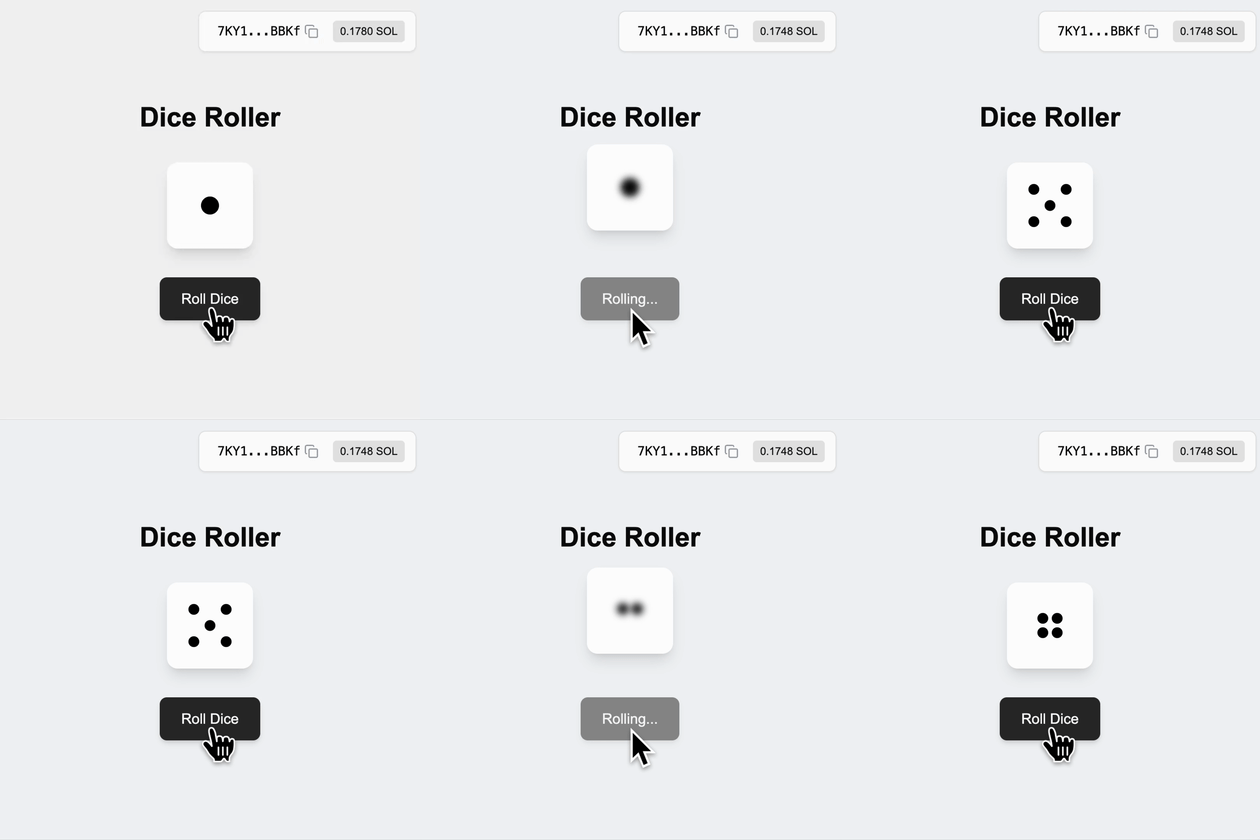 다음 소프트웨어 패키지가 필요할 수 있으며, 다른 버전도 호환될 수 있습니다.
| 소프트웨어 | 버전 | 설치 가이드 |
| ---------- | ------- | ---------------------------------------------------------- |
| **Solana** | 3.1.9 | [Solana 설치](https://docs.anza.xyz/cli/install) |
| **Rust** | 1.89.0 | [Rust 설치](https://www.rust-lang.org/tools/install) |
| **Anchor** | 1.0.2 | [Anchor 설치](https://www.anchor-lang.com/docs/installation) |
| **Node** | 24.10.0 | [Node 설치](https://nodejs.org/en/download/current) |
### 코드 스니펫
A simple roll dice program where player initialize state account to store, request and consume randomness:
```rust theme={null}
pub const PLAYER: &[u8] = b"playerd";
#[program]
pub mod random_dice {
use super::*;
pub fn initialize(ctx: Context) -> Result<()> {
msg!(
"Initializing player account: {:?}",
ctx.accounts.player.key()
);
Ok(())
}
// ... Additional instructions will be added here
}
/// Context for initializing player
#[derive(Accounts)]
pub struct Initialize<'info> {
#[account(mut)]
pub payer: Signer<'info>,
#[account(init_if_needed, payer = payer, space = 8 + 1, seeds = [PLAYER, payer.key().to_bytes().as_slice()], bump)]
pub player: Account<'info, Player>,
pub system_program: Program<'info, System>,
}
/// Player struct
#[account]
pub struct Player {
pub last_result: u8,
}
```
[⬆️ Back to Top](#code-snippets)
1. Add `ephemeral_vrf_sdk` with Anchor features to your program
```bash theme={null}
cargo add ephemeral_vrf_sdk --features anchor
```
Import `vrf` , `create_request_randomness_ix`, `RequestRandomnessParams`, and `SerializableAccountMeta`:
```rust theme={null}
use ephemeral_vrf_sdk::anchor::vrf;
use ephemeral_vrf_sdk::instructions::{create_request_randomness_ix, RequestRandomnessParams};
use ephemeral_vrf_sdk::types::SerializableAccountMeta;
```
2. Add instructions `roll_dice` to request randomness and `callback_roll_dice` to consume randomness, along with its context:
```rust theme={null}
#[program]
pub mod random_dice {
use super::*;
// ... `initialize` instruction
// Request Randomness
pub fn roll_dice(ctx: Context, client_seed: u8) -> Result<()> {
msg!("Requesting randomness...");
let ix = create_request_randomness_ix(RequestRandomnessParams {
payer: ctx.accounts.payer.key(),
oracle_queue: ctx.accounts.oracle_queue.key(),
callback_program_id: ID,
callback_discriminator: instruction::CallbackRollDice::DISCRIMINATOR.to_vec(),
caller_seed: [client_seed; 32],
// Specify any account that is required by the callback
accounts_metas: Some(vec![SerializableAccountMeta {
pubkey: ctx.accounts.player.key(),
is_signer: false,
is_writable: true,
}]),
..Default::default()
});
ctx.accounts
.invoke_signed_vrf(&ctx.accounts.payer.to_account_info(), &ix)?;
Ok(())
}
// Consume Randomness
pub fn callback_roll_dice(
ctx: Context,
randomness: [u8; 32],
) -> Result<()> {
let rnd_u8 = ephemeral_vrf_sdk::rnd::random_u8_with_range(&randomness, 1, 6);
msg!("Consuming random number: {:?}", rnd_u8);
let player = &mut ctx.accounts.player;
player.last_result = rnd_u8; // Update the player's last result
Ok(())
}
}
#[vrf]
#[derive(Accounts)]
pub struct DoRollDiceCtx<'info> {
#[account(mut)]
pub payer: Signer<'info>,
#[account(seeds = [PLAYER, payer.key().to_bytes().as_slice()], bump)]
pub player: Account<'info, Player>,
/// CHECK: The oracle queue
#[account(mut, address = ephemeral_vrf_sdk::consts::DEFAULT_QUEUE)]
pub oracle_queue: AccountInfo<'info>,
}
#[derive(Accounts)]
pub struct CallbackRollDiceCtx<'info> {
/// This check ensure that the vrf_program_identity (which is a PDA) is a singer
/// enforcing the callback is executed by the VRF program trough CPI
#[account(address = ephemeral_vrf_sdk::consts::VRF_PROGRAM_IDENTITY)]
pub vrf_program_identity: Signer<'info>,
#[account(mut)]
pub player: Account<'info, Player>,
}
// ... Other context and account struct.
```
**VRF SDK 상수**(`ephemeral_vrf_sdk::consts`) — 주소를 하드코딩하지 말고 프로그램과 클라이언트/테스트 코드 모두에서 이 상수들을 참조하세요:
| 상수 | 용도 | 주소 |
| ------------------------------ | ------------------------- | ---------------------------------------------- |
| `VRF_PROGRAM_ID` | VRF 프로그램 | `Vrf1RNUjXmQGjmQrQLvJHs9SNkvDJEsRVFPkfSQUwGz` |
| `VRF_PROGRAM_IDENTITY` | 콜백 signer PDA | `9irBy75QS2BN81FUgXuHcjqceJJRuc9oDkAe8TKVvvAw` |
| `DEFAULT_QUEUE` | 베이스 레이어 큐(Mainnet/Devnet) | `Cuj97ggrhhidhbu39TijNVqE74xvKJ69gDervRUXAxGh` |
| `DEFAULT_EPHEMERAL_QUEUE` | ER 큐(Mainnet/Devnet) | `5hBR571xnXppuCPveTrctfTU7tJLSN94nq7kv7FRK5Tc` |
| `DEFAULT_TEST_QUEUE` | 베이스 레이어 큐(Localnet) | `GKE6d7iv8kCBrsxr78W3xVdjGLLLJnxsGiuzrsZCGEvb` |
| `DEFAULT_EPHEMERAL_TEST_QUEUE` | ER 큐(Localnet) | `Sc9MJUngNbQXSXGP3F67KvKwVnhaYn6kcioxXNVowYT` |
트랜잭션이 실행되는 위치에 맞는 큐를 `oracle_queue` 로 전달하세요. Mainnet 과 Devnet 은 동일한 큐 주소를 사용하며, Localnet 은 테스트 큐를 사용합니다.
> `Request Randomness` is the process of generating a random `hashId` with the relevant callback instruction for the verified oracles to be triggered.
> `Consume Randomness` is the process of using the verifiable randomness by your program which is provided and triggered through verified oracle.
[⬆️ Back to Top](#code-snippets)
Now you're program is upgraded and ready! Build and deploy to the desired
cluster:
```bash theme={null}
anchor build && anchor deploy
```
[⬆️ Back to Top](#code-snippets)
Ready to execute transactions for onchain randomness!
```bash theme={null}
anchor test --skip-build --skip-deploy --skip-local-validator
```
**VRF SDK 상수**(`ephemeral_vrf_sdk::consts`) — 주소를 하드코딩하지 말고 프로그램과 클라이언트/테스트 코드 모두에서 이 상수들을 참조하세요:
| 상수 | 용도 | 주소 |
| ------------------------------ | ------------------------- | ---------------------------------------------- |
| `VRF_PROGRAM_ID` | VRF 프로그램 | `Vrf1RNUjXmQGjmQrQLvJHs9SNkvDJEsRVFPkfSQUwGz` |
| `VRF_PROGRAM_IDENTITY` | 콜백 signer PDA | `9irBy75QS2BN81FUgXuHcjqceJJRuc9oDkAe8TKVvvAw` |
| `DEFAULT_QUEUE` | 베이스 레이어 큐(Mainnet/Devnet) | `Cuj97ggrhhidhbu39TijNVqE74xvKJ69gDervRUXAxGh` |
| `DEFAULT_EPHEMERAL_QUEUE` | ER 큐(Mainnet/Devnet) | `5hBR571xnXppuCPveTrctfTU7tJLSN94nq7kv7FRK5Tc` |
| `DEFAULT_TEST_QUEUE` | 베이스 레이어 큐(Localnet) | `GKE6d7iv8kCBrsxr78W3xVdjGLLLJnxsGiuzrsZCGEvb` |
| `DEFAULT_EPHEMERAL_TEST_QUEUE` | ER 큐(Localnet) | `Sc9MJUngNbQXSXGP3F67KvKwVnhaYn6kcioxXNVowYT` |
트랜잭션이 실행되는 위치에 맞는 큐를 `oracle_queue` 로 전달하세요. Mainnet 과 Devnet 은 동일한 큐 주소를 사용하며, Localnet 은 테스트 큐를 사용합니다.
Run the following test:
```typescript theme={null}
import * as anchor from "@coral-xyz/anchor";
import { Program, web3 } from "@coral-xyz/anchor";
import { RandomDice } from "../target/types/random_dice";
describe("roll-dice", () => {
// Configure the client to use the local cluster.
anchor.setProvider(anchor.AnchorProvider.env());
const program = anchor.workspace.RandomDice as Program;
it("Initialized player!", async () => {
const tx = await program.methods.initialize().rpc();
console.log("Your transaction signature", tx);
});
it("Do Roll Dice!", async () => {
const tx = await program.methods.rollDice(0).rpc();
console.log("Your transaction signature", tx);
const playerPk = web3.PublicKey.findProgramAddressSync(
[Buffer.from("playerd"), anchor.getProvider().publicKey.toBytes()],
program.programId
)[0];
let player = await program.account.player.fetch(playerPk, "processed");
await new Promise((resolve) => setTimeout(resolve, 3000));
console.log("Player PDA: ", playerPk.toBase58());
console.log("player: ", player);
});
});
```
[⬆️ Back to Top](#code-snippets)
***
## Solana Explorer
Get insights about your transactions and accounts on Solana:
공식 Solana 익스플로러
Solana 블록체인 살펴보기
## Solana RPC Providers
Send transactions and requests through existing RPC providers:
Free Public Nodes
Free Shared Nodes
Dedicated High-Performance Nodes
## Solana Validator Dashboard
Find real-time updates on Solana's validator infrastructure:
Get Validator Insights
Discover Validator Metrics
## Server Status Subscriptions
Subscribe to Solana's and MagicBlock's server status:
Subscribe to Solana Server Updates
Subscribe to MagicBlock Server Status
***
## MagicBlock Products
Solana에서 실시간 무수수료 트랜잭션을 안전하게 실행하세요.
규정 준수를 유지하면서 민감한 데이터 보호 — Ephemeral Rollups 위에 구축되었습니다.
몇 초 만에 앱에 온체인 비공개 송금을 통합하세요 — 기본적으로 규정 준수.
게임, 추첨, 실시간 앱에 증명 가능하게 공정한 온체인 랜덤니스를 추가하세요.
트레이딩과 DeFi를 위한 저지연 온체인 가격 피드에 접근하세요.
***
다음 소프트웨어 패키지가 필요할 수 있으며, 다른 버전도 호환될 수 있습니다.
| 소프트웨어 | 버전 | 설치 가이드 |
| ---------- | ------- | ---------------------------------------------------------- |
| **Solana** | 3.1.9 | [Solana 설치](https://docs.anza.xyz/cli/install) |
| **Rust** | 1.89.0 | [Rust 설치](https://www.rust-lang.org/tools/install) |
| **Anchor** | 1.0.2 | [Anchor 설치](https://www.anchor-lang.com/docs/installation) |
| **Node** | 24.10.0 | [Node 설치](https://nodejs.org/en/download/current) |
### 코드 스니펫
A simple roll dice program where player initialize state account to store, request and consume randomness:
```rust theme={null}
pub const PLAYER: &[u8] = b"playerd";
#[program]
pub mod random_dice {
use super::*;
pub fn initialize(ctx: Context) -> Result<()> {
msg!(
"Initializing player account: {:?}",
ctx.accounts.player.key()
);
Ok(())
}
// ... Additional instructions will be added here
}
/// Context for initializing player
#[derive(Accounts)]
pub struct Initialize<'info> {
#[account(mut)]
pub payer: Signer<'info>,
#[account(init_if_needed, payer = payer, space = 8 + 1, seeds = [PLAYER, payer.key().to_bytes().as_slice()], bump)]
pub player: Account<'info, Player>,
pub system_program: Program<'info, System>,
}
/// Player struct
#[account]
pub struct Player {
pub last_result: u8,
}
```
[⬆️ Back to Top](#code-snippets)
1. Add `ephemeral_vrf_sdk` with Anchor features to your program
```bash theme={null}
cargo add ephemeral_vrf_sdk --features anchor
```
Import `vrf` , `create_request_randomness_ix`, `RequestRandomnessParams`, and `SerializableAccountMeta`:
```rust theme={null}
use ephemeral_vrf_sdk::anchor::vrf;
use ephemeral_vrf_sdk::instructions::{create_request_randomness_ix, RequestRandomnessParams};
use ephemeral_vrf_sdk::types::SerializableAccountMeta;
```
2. Add instructions `roll_dice` to request randomness and `callback_roll_dice` to consume randomness, along with its context:
```rust theme={null}
#[program]
pub mod random_dice {
use super::*;
// ... `initialize` instruction
// Request Randomness
pub fn roll_dice(ctx: Context, client_seed: u8) -> Result<()> {
msg!("Requesting randomness...");
let ix = create_request_randomness_ix(RequestRandomnessParams {
payer: ctx.accounts.payer.key(),
oracle_queue: ctx.accounts.oracle_queue.key(),
callback_program_id: ID,
callback_discriminator: instruction::CallbackRollDice::DISCRIMINATOR.to_vec(),
caller_seed: [client_seed; 32],
// Specify any account that is required by the callback
accounts_metas: Some(vec![SerializableAccountMeta {
pubkey: ctx.accounts.player.key(),
is_signer: false,
is_writable: true,
}]),
..Default::default()
});
ctx.accounts
.invoke_signed_vrf(&ctx.accounts.payer.to_account_info(), &ix)?;
Ok(())
}
// Consume Randomness
pub fn callback_roll_dice(
ctx: Context,
randomness: [u8; 32],
) -> Result<()> {
let rnd_u8 = ephemeral_vrf_sdk::rnd::random_u8_with_range(&randomness, 1, 6);
msg!("Consuming random number: {:?}", rnd_u8);
let player = &mut ctx.accounts.player;
player.last_result = rnd_u8; // Update the player's last result
Ok(())
}
}
#[vrf]
#[derive(Accounts)]
pub struct DoRollDiceCtx<'info> {
#[account(mut)]
pub payer: Signer<'info>,
#[account(seeds = [PLAYER, payer.key().to_bytes().as_slice()], bump)]
pub player: Account<'info, Player>,
/// CHECK: The oracle queue
#[account(mut, address = ephemeral_vrf_sdk::consts::DEFAULT_QUEUE)]
pub oracle_queue: AccountInfo<'info>,
}
#[derive(Accounts)]
pub struct CallbackRollDiceCtx<'info> {
/// This check ensure that the vrf_program_identity (which is a PDA) is a singer
/// enforcing the callback is executed by the VRF program trough CPI
#[account(address = ephemeral_vrf_sdk::consts::VRF_PROGRAM_IDENTITY)]
pub vrf_program_identity: Signer<'info>,
#[account(mut)]
pub player: Account<'info, Player>,
}
// ... Other context and account struct.
```
**VRF SDK 상수**(`ephemeral_vrf_sdk::consts`) — 주소를 하드코딩하지 말고 프로그램과 클라이언트/테스트 코드 모두에서 이 상수들을 참조하세요:
| 상수 | 용도 | 주소 |
| ------------------------------ | ------------------------- | ---------------------------------------------- |
| `VRF_PROGRAM_ID` | VRF 프로그램 | `Vrf1RNUjXmQGjmQrQLvJHs9SNkvDJEsRVFPkfSQUwGz` |
| `VRF_PROGRAM_IDENTITY` | 콜백 signer PDA | `9irBy75QS2BN81FUgXuHcjqceJJRuc9oDkAe8TKVvvAw` |
| `DEFAULT_QUEUE` | 베이스 레이어 큐(Mainnet/Devnet) | `Cuj97ggrhhidhbu39TijNVqE74xvKJ69gDervRUXAxGh` |
| `DEFAULT_EPHEMERAL_QUEUE` | ER 큐(Mainnet/Devnet) | `5hBR571xnXppuCPveTrctfTU7tJLSN94nq7kv7FRK5Tc` |
| `DEFAULT_TEST_QUEUE` | 베이스 레이어 큐(Localnet) | `GKE6d7iv8kCBrsxr78W3xVdjGLLLJnxsGiuzrsZCGEvb` |
| `DEFAULT_EPHEMERAL_TEST_QUEUE` | ER 큐(Localnet) | `Sc9MJUngNbQXSXGP3F67KvKwVnhaYn6kcioxXNVowYT` |
트랜잭션이 실행되는 위치에 맞는 큐를 `oracle_queue` 로 전달하세요. Mainnet 과 Devnet 은 동일한 큐 주소를 사용하며, Localnet 은 테스트 큐를 사용합니다.
> `Request Randomness` is the process of generating a random `hashId` with the relevant callback instruction for the verified oracles to be triggered.
> `Consume Randomness` is the process of using the verifiable randomness by your program which is provided and triggered through verified oracle.
[⬆️ Back to Top](#code-snippets)
Now you're program is upgraded and ready! Build and deploy to the desired
cluster:
```bash theme={null}
anchor build && anchor deploy
```
[⬆️ Back to Top](#code-snippets)
Ready to execute transactions for onchain randomness!
```bash theme={null}
anchor test --skip-build --skip-deploy --skip-local-validator
```
**VRF SDK 상수**(`ephemeral_vrf_sdk::consts`) — 주소를 하드코딩하지 말고 프로그램과 클라이언트/테스트 코드 모두에서 이 상수들을 참조하세요:
| 상수 | 용도 | 주소 |
| ------------------------------ | ------------------------- | ---------------------------------------------- |
| `VRF_PROGRAM_ID` | VRF 프로그램 | `Vrf1RNUjXmQGjmQrQLvJHs9SNkvDJEsRVFPkfSQUwGz` |
| `VRF_PROGRAM_IDENTITY` | 콜백 signer PDA | `9irBy75QS2BN81FUgXuHcjqceJJRuc9oDkAe8TKVvvAw` |
| `DEFAULT_QUEUE` | 베이스 레이어 큐(Mainnet/Devnet) | `Cuj97ggrhhidhbu39TijNVqE74xvKJ69gDervRUXAxGh` |
| `DEFAULT_EPHEMERAL_QUEUE` | ER 큐(Mainnet/Devnet) | `5hBR571xnXppuCPveTrctfTU7tJLSN94nq7kv7FRK5Tc` |
| `DEFAULT_TEST_QUEUE` | 베이스 레이어 큐(Localnet) | `GKE6d7iv8kCBrsxr78W3xVdjGLLLJnxsGiuzrsZCGEvb` |
| `DEFAULT_EPHEMERAL_TEST_QUEUE` | ER 큐(Localnet) | `Sc9MJUngNbQXSXGP3F67KvKwVnhaYn6kcioxXNVowYT` |
트랜잭션이 실행되는 위치에 맞는 큐를 `oracle_queue` 로 전달하세요. Mainnet 과 Devnet 은 동일한 큐 주소를 사용하며, Localnet 은 테스트 큐를 사용합니다.
Run the following test:
```typescript theme={null}
import * as anchor from "@coral-xyz/anchor";
import { Program, web3 } from "@coral-xyz/anchor";
import { RandomDice } from "../target/types/random_dice";
describe("roll-dice", () => {
// Configure the client to use the local cluster.
anchor.setProvider(anchor.AnchorProvider.env());
const program = anchor.workspace.RandomDice as Program;
it("Initialized player!", async () => {
const tx = await program.methods.initialize().rpc();
console.log("Your transaction signature", tx);
});
it("Do Roll Dice!", async () => {
const tx = await program.methods.rollDice(0).rpc();
console.log("Your transaction signature", tx);
const playerPk = web3.PublicKey.findProgramAddressSync(
[Buffer.from("playerd"), anchor.getProvider().publicKey.toBytes()],
program.programId
)[0];
let player = await program.account.player.fetch(playerPk, "processed");
await new Promise((resolve) => setTimeout(resolve, 3000));
console.log("Player PDA: ", playerPk.toBase58());
console.log("player: ", player);
});
});
```
[⬆️ Back to Top](#code-snippets)
***
## Solana Explorer
Get insights about your transactions and accounts on Solana:
공식 Solana 익스플로러
Solana 블록체인 살펴보기
## Solana RPC Providers
Send transactions and requests through existing RPC providers:
Free Public Nodes
Free Shared Nodes
Dedicated High-Performance Nodes
## Solana Validator Dashboard
Find real-time updates on Solana's validator infrastructure:
Get Validator Insights
Discover Validator Metrics
## Server Status Subscriptions
Subscribe to Solana's and MagicBlock's server status:
Subscribe to Solana Server Updates
Subscribe to MagicBlock Server Status
***
## MagicBlock Products
Solana에서 실시간 무수수료 트랜잭션을 안전하게 실행하세요.
규정 준수를 유지하면서 민감한 데이터 보호 — Ephemeral Rollups 위에 구축되었습니다.
몇 초 만에 앱에 온체인 비공개 송금을 통합하세요 — 기본적으로 규정 준수.
게임, 추첨, 실시간 앱에 증명 가능하게 공정한 온체인 랜덤니스를 추가하세요.
트레이딩과 DeFi를 위한 저지연 온체인 가격 피드에 접근하세요.
***