> ## Documentation Index
> Fetch the complete documentation index at: https://docs.magicblock.gg/llms.txt
> Use this file to discover all available pages before exploring further.
# Quickstart
> Learn how to request and consume Solana VRF randomness onchain using the MagicBlock VRF SDK.
***
**Building with an AI coding agent?** Install the MagicBlock Dev Skill to give your agent MagicBlock-specific patterns — delegation flows, Magic Actions, cranks, VRF, and more.
Quick install for Claude Code:
```bash theme={null}
npx add-skill https://github.com/magicblock-labs/magicblock-dev-skill
```
Using Cursor, Codex, Windsurf, Cline, or another agent? See the [AI Dev Skill](/pages/overview/additional-information/ai-dev-skill) page for all install targets.
### Quick Access
Check out basic VRF examples:
Repo for roll dice example
Roll a dice onchain
Roll a dice within 100 ms onchain
***
Need the product overview first? Start with the Solana VRF landing page, then follow this quickstart.
## Step-By-Step Guide
Any Solana program can request and consume verifiable randomness onchain within seconds using the MagicBlock VRF SDK. By the end of this guide, you'll have a working example that rolls a dice using verifiable randomness.
Write your program}>
Write your Solana program as you normally.
Add request and consume randomness instructions.
}
>
Add CPI hooks that request and consume randomness via callback from a
verified oracle.
Deploy your program on Solana}>
Deploy your Solana program using Anchor CLI.
Execute transactions for onchain randomness.}>
Send transactions to generate and consume randomness onchain.
***
## Roll Dice Example
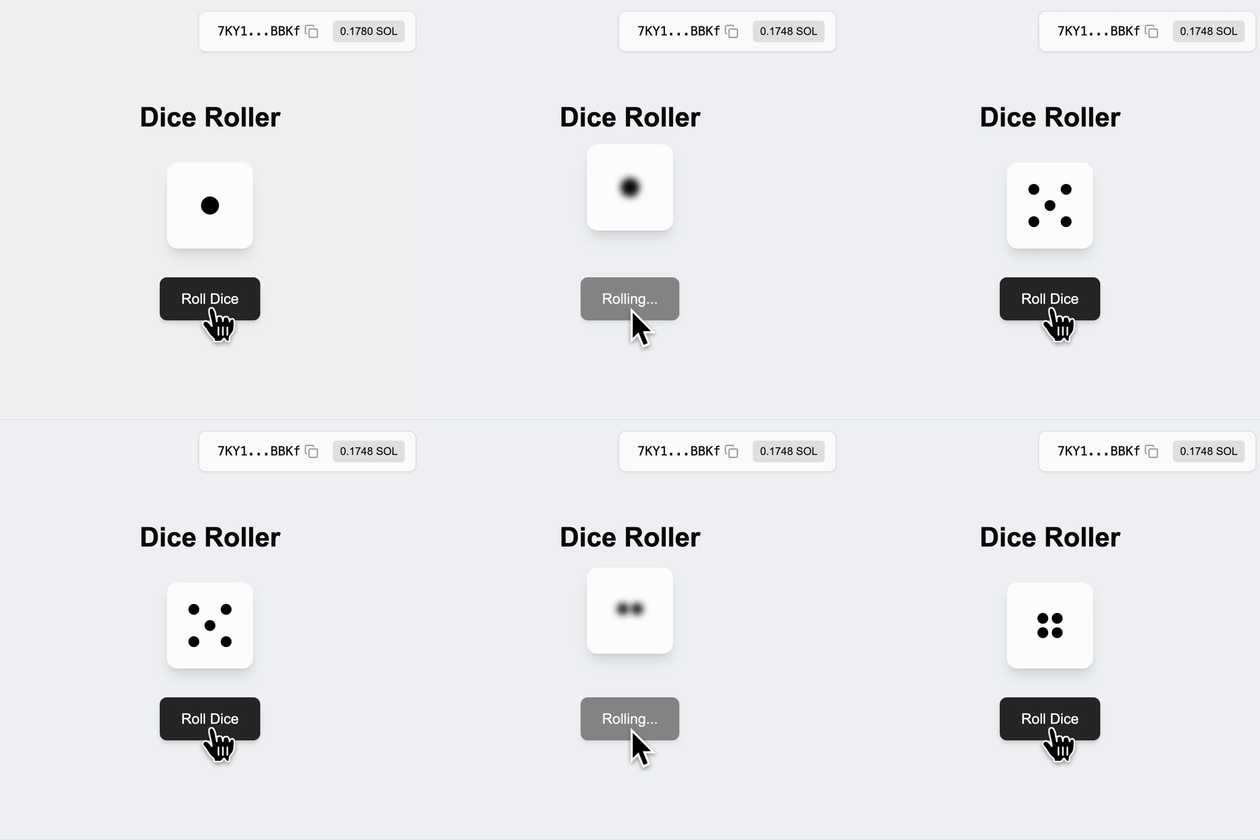 The following software packages may be required, other versions may also be compatible:
| Software | Version | Installation Guide |
| ---------- | ------- | --------------------------------------------------------------- |
| **Solana** | 3.1.9 | [Install Solana](https://docs.anza.xyz/cli/install) |
| **Rust** | 1.89.0 | [Install Rust](https://www.rust-lang.org/tools/install) |
| **Anchor** | 1.0.2 | [Install Anchor](https://www.anchor-lang.com/docs/installation) |
| **Node** | 24.10.0 | [Install Node](https://nodejs.org/en/download/current) |
### Code Snippets
A simple roll dice program where player initialize state account to store, request and consume randomness:
```rust theme={null}
pub const PLAYER: &[u8] = b"playerd";
#[program]
pub mod random_dice {
use super::*;
pub fn initialize(ctx: Context) -> Result<()> {
msg!(
"Initializing player account: {:?}",
ctx.accounts.player.key()
);
Ok(())
}
// ... Additional instructions will be added here
}
/// Context for initializing player
#[derive(Accounts)]
pub struct Initialize<'info> {
#[account(mut)]
pub payer: Signer<'info>,
#[account(init_if_needed, payer = payer, space = 8 + 1, seeds = [PLAYER, payer.key().to_bytes().as_slice()], bump)]
pub player: Account<'info, Player>,
pub system_program: Program<'info, System>,
}
/// Player struct
#[account]
pub struct Player {
pub last_result: u8,
}
```
[⬆️ Back to Top](#code-snippets)
1. Add `ephemeral_vrf_sdk` with Anchor features to your program
```bash theme={null}
cargo add ephemeral_vrf_sdk --features anchor
```
Import `vrf` , `create_request_randomness_ix`, `RequestRandomnessParams`, and `SerializableAccountMeta`:
```rust theme={null}
use ephemeral_vrf_sdk::anchor::vrf;
use ephemeral_vrf_sdk::instructions::{create_request_randomness_ix, RequestRandomnessParams};
use ephemeral_vrf_sdk::types::SerializableAccountMeta;
```
2. Add instructions `roll_dice` to request randomness and `callback_roll_dice` to consume randomness, along with its context:
```rust theme={null}
#[program]
pub mod random_dice {
use super::*;
// ... `initialize` instruction
// Request Randomness
pub fn roll_dice(ctx: Context, client_seed: u8) -> Result<()> {
msg!("Requesting randomness...");
let ix = create_request_randomness_ix(RequestRandomnessParams {
payer: ctx.accounts.payer.key(),
oracle_queue: ctx.accounts.oracle_queue.key(),
callback_program_id: ID,
callback_discriminator: instruction::CallbackRollDice::DISCRIMINATOR.to_vec(),
caller_seed: [client_seed; 32],
// Specify any account that is required by the callback
accounts_metas: Some(vec![SerializableAccountMeta {
pubkey: ctx.accounts.player.key(),
is_signer: false,
is_writable: true,
}]),
..Default::default()
});
ctx.accounts
.invoke_signed_vrf(&ctx.accounts.payer.to_account_info(), &ix)?;
Ok(())
}
// Consume Randomness
pub fn callback_roll_dice(
ctx: Context,
randomness: [u8; 32],
) -> Result<()> {
let rnd_u8 = ephemeral_vrf_sdk::rnd::random_u8_with_range(&randomness, 1, 6);
msg!("Consuming random number: {:?}", rnd_u8);
let player = &mut ctx.accounts.player;
player.last_result = rnd_u8; // Update the player's last result
Ok(())
}
}
#[vrf]
#[derive(Accounts)]
pub struct DoRollDiceCtx<'info> {
#[account(mut)]
pub payer: Signer<'info>,
#[account(seeds = [PLAYER, payer.key().to_bytes().as_slice()], bump)]
pub player: Account<'info, Player>,
/// CHECK: The oracle queue
#[account(mut, address = ephemeral_vrf_sdk::consts::DEFAULT_QUEUE)]
pub oracle_queue: AccountInfo<'info>,
}
#[derive(Accounts)]
pub struct CallbackRollDiceCtx<'info> {
/// This check ensure that the vrf_program_identity (which is a PDA) is a singer
/// enforcing the callback is executed by the VRF program trough CPI
#[account(address = ephemeral_vrf_sdk::consts::VRF_PROGRAM_IDENTITY)]
pub vrf_program_identity: Signer<'info>,
#[account(mut)]
pub player: Account<'info, Player>,
}
// ... Other context and account struct.
```
> `Request Randomness` is the process of generating a random `hashId` with the relevant callback instruction for the verified oracles to be triggered.
> `Consume Randomness` is the process of using the verifiable randomness by your program which is provided and triggered through verified oracle.
[⬆️ Back to Top](#code-snippets)
Now you’re program is upgraded and ready! Build and deploy to the desired
cluster:
```bash theme={null}
anchor build && anchor deploy
```
[⬆️ Back to Top](#code-snippets)
Ready to execute transactions for onchain randomness!
```bash theme={null}
anchor test --skip-build --skip-deploy --skip-local-validator
```
Run the following test:
```typescript theme={null}
import * as anchor from "@coral-xyz/anchor";
import { Program, web3 } from "@coral-xyz/anchor";
import { RandomDice } from "../target/types/random_dice";
describe("roll-dice", () => {
// Configure the client to use the local cluster.
anchor.setProvider(anchor.AnchorProvider.env());
const program = anchor.workspace.RandomDice as Program;
it("Initialized player!", async () => {
const tx = await program.methods.initialize().rpc();
console.log("Your transaction signature", tx);
});
it("Do Roll Dice!", async () => {
const tx = await program.methods.rollDice(0).rpc();
console.log("Your transaction signature", tx);
const playerPk = web3.PublicKey.findProgramAddressSync(
[Buffer.from("playerd"), anchor.getProvider().publicKey.toBytes()],
program.programId
)[0];
let player = await program.account.player.fetch(playerPk, "processed");
await new Promise((resolve) => setTimeout(resolve, 3000));
console.log("Player PDA: ", playerPk.toBase58());
console.log("player: ", player);
});
});
```
[⬆️ Back to Top](#code-snippets)
***
Want to run VRF end to end on your machine? Use the Local Validator Setup guide for the fully local stack, the Surfpool alternative, and the local
The following software packages may be required, other versions may also be compatible:
| Software | Version | Installation Guide |
| ---------- | ------- | --------------------------------------------------------------- |
| **Solana** | 3.1.9 | [Install Solana](https://docs.anza.xyz/cli/install) |
| **Rust** | 1.89.0 | [Install Rust](https://www.rust-lang.org/tools/install) |
| **Anchor** | 1.0.2 | [Install Anchor](https://www.anchor-lang.com/docs/installation) |
| **Node** | 24.10.0 | [Install Node](https://nodejs.org/en/download/current) |
### Code Snippets
A simple roll dice program where player initialize state account to store, request and consume randomness:
```rust theme={null}
pub const PLAYER: &[u8] = b"playerd";
#[program]
pub mod random_dice {
use super::*;
pub fn initialize(ctx: Context) -> Result<()> {
msg!(
"Initializing player account: {:?}",
ctx.accounts.player.key()
);
Ok(())
}
// ... Additional instructions will be added here
}
/// Context for initializing player
#[derive(Accounts)]
pub struct Initialize<'info> {
#[account(mut)]
pub payer: Signer<'info>,
#[account(init_if_needed, payer = payer, space = 8 + 1, seeds = [PLAYER, payer.key().to_bytes().as_slice()], bump)]
pub player: Account<'info, Player>,
pub system_program: Program<'info, System>,
}
/// Player struct
#[account]
pub struct Player {
pub last_result: u8,
}
```
[⬆️ Back to Top](#code-snippets)
1. Add `ephemeral_vrf_sdk` with Anchor features to your program
```bash theme={null}
cargo add ephemeral_vrf_sdk --features anchor
```
Import `vrf` , `create_request_randomness_ix`, `RequestRandomnessParams`, and `SerializableAccountMeta`:
```rust theme={null}
use ephemeral_vrf_sdk::anchor::vrf;
use ephemeral_vrf_sdk::instructions::{create_request_randomness_ix, RequestRandomnessParams};
use ephemeral_vrf_sdk::types::SerializableAccountMeta;
```
2. Add instructions `roll_dice` to request randomness and `callback_roll_dice` to consume randomness, along with its context:
```rust theme={null}
#[program]
pub mod random_dice {
use super::*;
// ... `initialize` instruction
// Request Randomness
pub fn roll_dice(ctx: Context, client_seed: u8) -> Result<()> {
msg!("Requesting randomness...");
let ix = create_request_randomness_ix(RequestRandomnessParams {
payer: ctx.accounts.payer.key(),
oracle_queue: ctx.accounts.oracle_queue.key(),
callback_program_id: ID,
callback_discriminator: instruction::CallbackRollDice::DISCRIMINATOR.to_vec(),
caller_seed: [client_seed; 32],
// Specify any account that is required by the callback
accounts_metas: Some(vec![SerializableAccountMeta {
pubkey: ctx.accounts.player.key(),
is_signer: false,
is_writable: true,
}]),
..Default::default()
});
ctx.accounts
.invoke_signed_vrf(&ctx.accounts.payer.to_account_info(), &ix)?;
Ok(())
}
// Consume Randomness
pub fn callback_roll_dice(
ctx: Context,
randomness: [u8; 32],
) -> Result<()> {
let rnd_u8 = ephemeral_vrf_sdk::rnd::random_u8_with_range(&randomness, 1, 6);
msg!("Consuming random number: {:?}", rnd_u8);
let player = &mut ctx.accounts.player;
player.last_result = rnd_u8; // Update the player's last result
Ok(())
}
}
#[vrf]
#[derive(Accounts)]
pub struct DoRollDiceCtx<'info> {
#[account(mut)]
pub payer: Signer<'info>,
#[account(seeds = [PLAYER, payer.key().to_bytes().as_slice()], bump)]
pub player: Account<'info, Player>,
/// CHECK: The oracle queue
#[account(mut, address = ephemeral_vrf_sdk::consts::DEFAULT_QUEUE)]
pub oracle_queue: AccountInfo<'info>,
}
#[derive(Accounts)]
pub struct CallbackRollDiceCtx<'info> {
/// This check ensure that the vrf_program_identity (which is a PDA) is a singer
/// enforcing the callback is executed by the VRF program trough CPI
#[account(address = ephemeral_vrf_sdk::consts::VRF_PROGRAM_IDENTITY)]
pub vrf_program_identity: Signer<'info>,
#[account(mut)]
pub player: Account<'info, Player>,
}
// ... Other context and account struct.
```
> `Request Randomness` is the process of generating a random `hashId` with the relevant callback instruction for the verified oracles to be triggered.
> `Consume Randomness` is the process of using the verifiable randomness by your program which is provided and triggered through verified oracle.
[⬆️ Back to Top](#code-snippets)
Now you’re program is upgraded and ready! Build and deploy to the desired
cluster:
```bash theme={null}
anchor build && anchor deploy
```
[⬆️ Back to Top](#code-snippets)
Ready to execute transactions for onchain randomness!
```bash theme={null}
anchor test --skip-build --skip-deploy --skip-local-validator
```
Run the following test:
```typescript theme={null}
import * as anchor from "@coral-xyz/anchor";
import { Program, web3 } from "@coral-xyz/anchor";
import { RandomDice } from "../target/types/random_dice";
describe("roll-dice", () => {
// Configure the client to use the local cluster.
anchor.setProvider(anchor.AnchorProvider.env());
const program = anchor.workspace.RandomDice as Program;
it("Initialized player!", async () => {
const tx = await program.methods.initialize().rpc();
console.log("Your transaction signature", tx);
});
it("Do Roll Dice!", async () => {
const tx = await program.methods.rollDice(0).rpc();
console.log("Your transaction signature", tx);
const playerPk = web3.PublicKey.findProgramAddressSync(
[Buffer.from("playerd"), anchor.getProvider().publicKey.toBytes()],
program.programId
)[0];
let player = await program.account.player.fetch(playerPk, "processed");
await new Promise((resolve) => setTimeout(resolve, 3000));
console.log("Player PDA: ", playerPk.toBase58());
console.log("player: ", player);
});
});
```
[⬆️ Back to Top](#code-snippets)
***
Want to run VRF end to end on your machine? Use the Local Validator Setup guide for the fully local stack, the Surfpool alternative, and the local vrf-oracle flow.
***
## Solana Explorer
Get insights about your transactions and accounts on Solana:
Official Solana Explorer
Explore Solana Blockchain
## Solana RPC Providers
Send transactions and requests through existing RPC providers:
Free Public Nodes
Free Shared Nodes
Dedicated High-Performance Nodes
## Solana Validator Dashboard
Find real-time updates on Solana's validator infrastructure:
Get Validator Insights
Discover Validator Metrics
## Server Status Subscriptions
Subscribe to Solana's and MagicBlock's server status:
Subscribe to Solana Server Updates
Subscribe to MagicBlock Server Status
***
## MagicBlock Products
Execute real-time, zero-fee transactions securely on Solana.
Protect sensitive data with compliance — built on top of Ephemeral Rollups.
Add private onchain transfers to your app in seconds — compliant by default.
Add provably fair onchain randomness to games, raffles, and real-time apps.
Access low-latency onchain price feeds for trading and DeFi.
***